

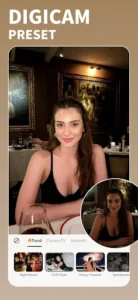
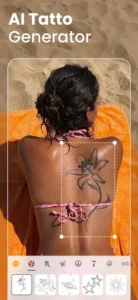
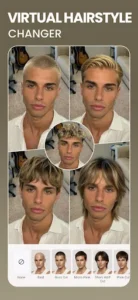
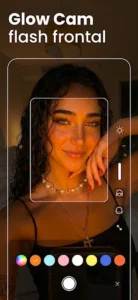
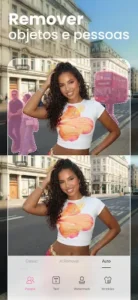
BeautyPlus-Selfie Photo Editor is an app designed to enhance photos and videos, particularly selfies, through a comprehensive suite of editing and beautification tools. Users can capture new images directly with an HD camera or import existing media, then apply a range of adjustments from subtle facial retouching to advanced creative transformations. A distinctive feature is its Film Cam, which offers six unique vintage camera models, each with its own style, allowing users to capture retro-style photos and videos with nostalgic charm.
Advanced Facial and Body Retouching
This app provides a suite of tools specifically for enhancing portraits and body features. Users can achieve a smoother complexion by removing acne, blemishes, and dark circles, alongside smoothing out body wrinkles. Other specialized tools include a teeth whitener to brighten smiles and a hair color changer for experimenting with different shades. For more focused adjustments, a makeup editor allows for detailed application of elements like lipstick and eyebrows, while the Body Editor enables sculpting of specific areas such as the waist, arms, face, and bust, and offers various skin tone options. The app also supports one-tap HD Retouch for quick, natural-looking enhancements, and includes a Height Adjustment Tool to enhance stature.
AI-Powered Image Transformation
Beyond standard editing, BeautyPlus incorporates artificial intelligence to offer distinctive creative options. Users can transform their images into stylized visuals, such as cartooning themselves using an AI Anime camera or Anime Filter. The AI Avatars feature allows for creating unique, otherworldly versions of selfies. Additionally, the app leverages AI technology to effortlessly remove unwanted people or objects from photos, simplifying composition and focus.
Extensive Photo Editing and Enhancement
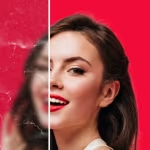
The app includes a robust Photo Editor to refine images with various adjustments and creative elements. Users can add text to photos, choosing from over 300 designer fonts, or personalize them with fun stickers, even creating custom ones. Basic adjustments like brightness, contrast, and color correction are available, alongside a filter camera to apply different styles. For improving existing photos, a Photo Enhancer can boost overall quality, restore old or faded images, and unblur or sharpen details for a clearer appearance. Backgrounds can also be managed with tools to remove them for transparent images, change them entirely, or apply an instant blur effect, in addition to standard cropping functions.
Video Editing for Creative Content
For users working with moving images, the app offers a Video Editor. This tool allows for adding music to videos, providing a way to enhance the audio experience of recorded content.










Write a review